Electronics on Moving Day

How to Pack and Move a Gaming Setup?

A gaming setup is usually the most expensive corner of the house per square foot, and the easiest to get wrong on moving day. Loose cables, a GPU that shifts in transit, a monitor laid flat under a box of books, any of it can turn an afternoon of setup into a repair bill. Here's how to pack it properly the first time.

★★★★★4.8/5 from thousands of verified reviews across the UAE

Quick Answer

Photograph your cable layout before unplugging anything, then pack the PC tower upright with the side panel supported, not resting on expansion cards. Monitors travel upright in a snug box, never flat. Consoles go in their original box if you kept it, with the power brick and cables bagged separately. Loose components like a spare GPU or RAM belong in anti-static bags, and the whole setup should be labeled clearly so it isn't stacked under anything heavy.

DED Trade License #1234567
Fully Insured
4.8★ Google Rating
15+ Years Across the UAE
Arabic & English Support
Electronics being packed carefully for a move in Dubai
The Core RiskShock, Static, and Loose Parts

What a Gaming Setup Needs on Moving Day

A gaming setup is really three separate packing jobs wearing one name: the tower itself, the screens, and everything else, keyboard, mouse, headset, controllers, and whatever cables tie it all together. Treating it as one box is where most of the damage happens.

Each of those three jobs has a different failure point. The tower fails through impact and vibration, screens fail through pressure and flex, and the smaller accessories mostly just go missing, left behind in a drawer or tangled into a bag with charging cables for three other devices. Planning for all three separately, even if they end up in the same moving van, is what keeps the setup intact.

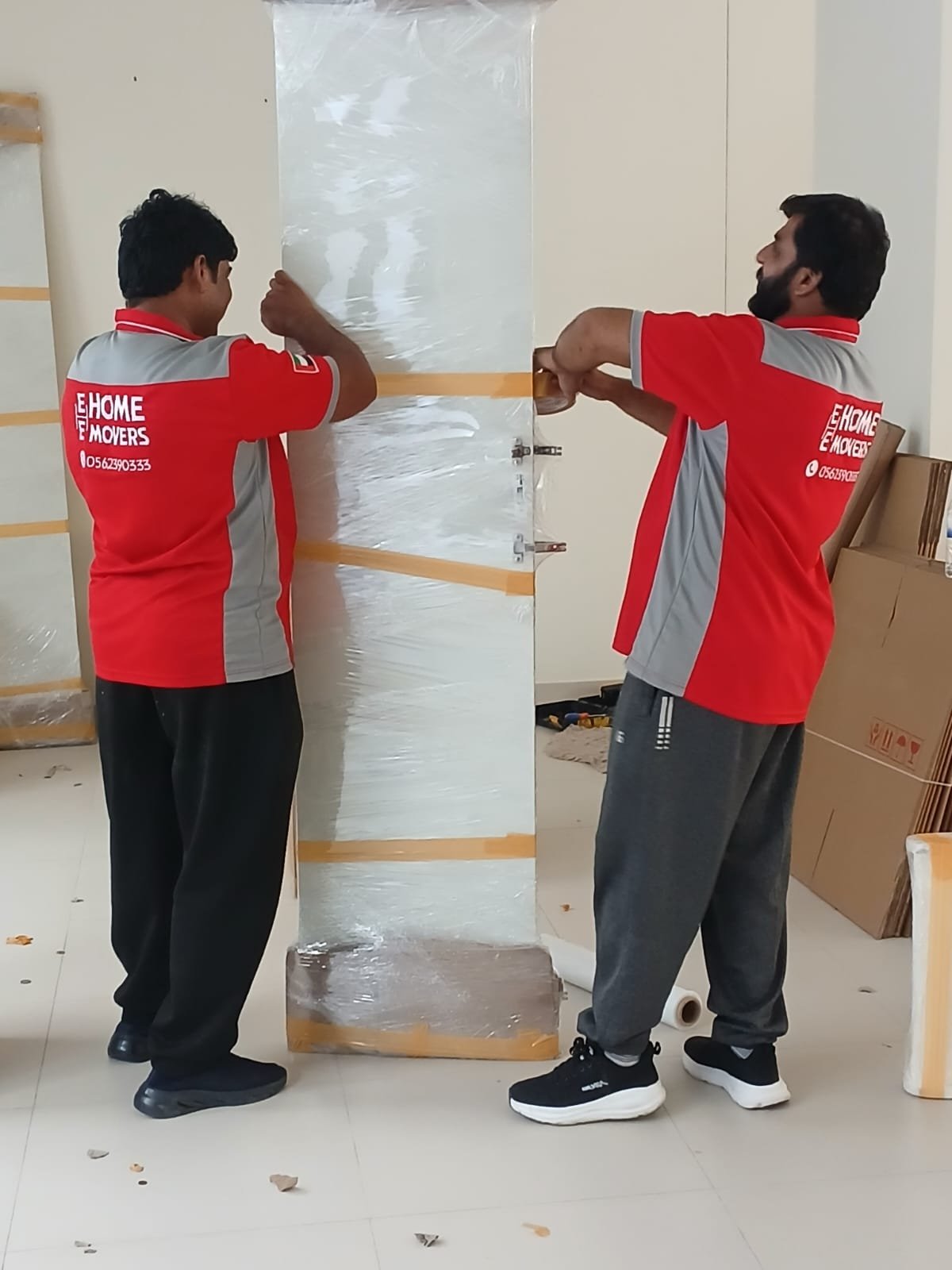
The tower should move upright whenever possible, with the side panel on and nothing pressing against the graphics card. Builders living in busy apartment communities in Movers and Packers in Business Bay often move between towers with tight elevator timing, which is exactly when a rushed, flat-packed PC is most likely to get knocked around.
Why This Setup Needs Its Own Plan

Villa households in communities like Arabian Ranches tend to run bigger setups: multiple monitors, a longer cable run across a desk or a second-floor office, sometimes a separate streaming rig next to the main PC. Movers and Packers in Arabian Ranches see this scale of setup often enough to know it needs more boxes and more labeling than a single-monitor desk, not just more time. A two-monitor desk alone can mean four extra cables, a separate power strip, and two boxes instead of one, so the packing list grows faster than people expect once a second screen or a separate router enters the picture.

Static and Shock

Components like RAM and graphics cards are sensitive to static discharge and sudden impact. A dropped box does more damage to a GPU than to almost anything else in the house.

Screen Fragility

Monitor panels crack under pressure points that wouldn't bother a television. Laying one flat under other boxes is one of the fastest ways to end up with a dead pixel strip or a cracked panel.

Cable Chaos

Every setup has a unique cable arrangement. Without labels or a photo of the back of the tower, reconnecting everything correctly can take far longer than the move itself.

A Step-by-Step Way to Pack It

Work through the setup in this order rather than grabbing whatever's closest first.

Photograph the Back of EverythingBefore touching a single cable, take a clear photo of every port and connection. This single step saves the most time once you're setting back up.
Label and Bag Every CableSmall sticky labels on each cable end, grouped into labeled zip bags by device, turn setup day into a ten-minute job instead of an hour of guessing.
Use Original Boxes Where You Still Have ThemA monitor, console, or GPU box was engineered for that exact item's weight and shape. If you kept any of them, they beat generic packing every time. Renters moving within Hire Right Movers in JVC Dubai often ask about this specifically, since smaller apartments mean less storage space to keep original boxes long-term.
Group the Small Accessories LastKeyboard, mouse, headset, and controllers can go into one padded box together once everything else is sorted, but each item should still get its own layer of bubble wrap so they don't scratch against each other during the drive.
Cables and electronics organized before a move

Common Mistakes When Moving a Gaming Setup

Laying a tower on its side for the drive is one of the most common mistakes, since a graphics card can sag under its own weight against the socket over a long enough journey. Stacking boxes on top of a monitor box is another, even when the box says fragile, because fragile labels get ignored once a truck is half loaded. Wrapping a controller or headset loosely in a bag with no padding leads to scratched screens and snapped buttons once it shifts around with everything else. And packing cables loose in a drawer box turns into an hour of untangling that nobody budgets time for.

A less obvious mistake is leaving a laptop or handheld console charging right up until the truck arrives, then packing it while still warm. Letting batteries cool to room temperature before boxing them, especially in Dubai's heat, is a small step that's easy to skip under time pressure.

Some of this applies beyond home setups too. Retail stores and gaming lounges relocating a shop floor of consoles and display units face the same risks at a larger scale, and retail movers in Abu Dhabi plan for exactly this kind of inventory, where dozens of screens and consoles need the same individual care as a single home rig, just multiplied.

Professional Tips for Packing Electronics

A few habits make the difference between a clean setup day and an afternoon of troubleshooting, and none of them take much extra time if you build them into the packing process from the start rather than trying to fix things after a box is already sealed.

Keep Components Upright

Towers, monitors, and even consoles should stay in the same orientation they sit in normally. Lying flat shifts weight onto parts that aren't built to bear it.

Anti-Static Bags for Loose Parts

Any component removed from the tower, a spare GPU, RAM sticks, an SSD, should go into an anti-static bag before it goes into a box, not straight into bubble wrap.

Let Consoles Rest Before Moving

Powering a console off and letting it sit for a few minutes before moving it reduces the risk to the internal drive compared to moving it straight after a gaming session.

Moving a Gaming Setup: Common Questions

For a short local move, most graphics cards can stay seated if the tower will be carried upright and kept flat in transport. For a longer drive or if the tower will be laid on its side, removing the card and packing it separately in its original anti-static bag is safer.
Monitors should travel upright, never flat, in a box sized close to the screen with foam corners or packing paper filling the gaps. The original box is ideal if you kept it, since it was built for that exact panel.
Let the console sit powered off for a few minutes before moving it, then pack it upright in its original box if you have it, with the power brick and cables bagged separately rather than loose in the same box.
Yes, for any loose component like a graphics card, RAM, or an SSD. Static discharge during a move is rare but anti-static bags cost very little next to the price of replacing a damaged component.
Yes. A quick photo of the back of the setup plus small labeled tags on each cable saves far more time on the other end than it takes to do before the move.
Yes, a professional crew can pack electronics with the right boxes and padding. It's worth telling them in advance which items are the gaming setup so they're handled with that extra care rather than boxed like general belongings.

We Pack Electronics With the Same Care You Do

Tell us about your setup and we'll make sure it's boxed and labeled properly from the first cable to the last.

Free Quote
Fully Licensed
Zero Hidden Fees
15+ Years Experience

Packing a Gaming Setup: The Short Version

A gaming setup survives a move best when it's treated as three jobs, not one: the tower packed upright with nothing pressing on the graphics card, the screens boxed snug and vertical, and every cable labeled before it gets unplugged. Original boxes beat generic ones whenever you still have them, and loose components belong in anti-static bags rather than straight into bubble wrap.

If you're still deciding how much of the move to handle yourself, the same trade-offs covered in should you hire professional packers or pack yourself apply just as much to a gaming setup as to the rest of the house, maybe more, given how much a damaged GPU or monitor costs to replace.

None of this needs to be complicated. Photograph the connections, keep screens and towers upright, bag the small parts separately, and reuse original boxes wherever you still have them. The rest is just carrying it carefully.

Let us know what's in the setup when you request your free quote, and we'll make sure it's packed with that in mind from the start.